이벤트 핸들러의 라우트 전략적 종류는 크게 2가지로 존재한다.
- Tunnel
- Bubble
Tunnel
루트에서 원본으로 이벤트가 전달된다.
Bubble
원본에서 루트로 이벤트가 전달된다.
(예로 들면 HTML의 DOM 을 떠올리면 좋을 것 같다.)
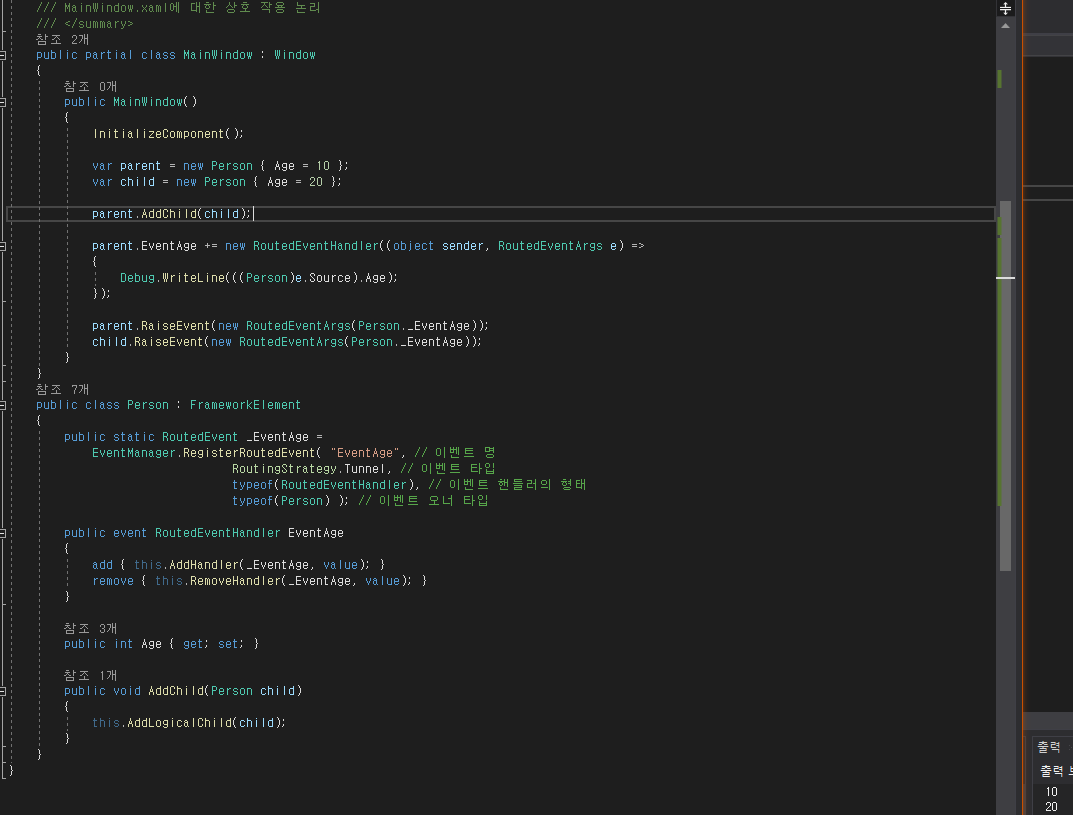
터널에 관한 소스밖에 넣지 않았지만 자세한 느낌은 아래의 소스를 참고...
   public partial class MainWindow : Window
    {
        public MainWindow()
        {
            InitializeComponent();

            var parent = new Person { Age = 10 };
            var child = new Person { Age = 20 };

            parent.AddChild(child);

            parent.EventAge += new RoutedEventHandler((object sender, RoutedEventArgs e) =>
            {
                Debug.WriteLine(((Person)e.Source).Age);
            });

            parent.RaiseEvent(new RoutedEventArgs(Person._EventAge));
            child.RaiseEvent(new RoutedEventArgs(Person._EventAge));
        }
    }
    public class Person : FrameworkElement
    {
        public static RoutedEvent _EventAge =
            EventManager.RegisterRoutedEvent( "EventAge", // 이벤트 명
                                RoutingStrategy.Tunnel, // 이벤트 타입
                                typeof(RoutedEventHandler), // 이벤트 핸들러의 형태
                                typeof(Person) ); // 이벤트 오너 타입

        public event RoutedEventHandler EventAge
        {
            add { this.AddHandler(_EventAge, value); }
            remove { this.RemoveHandler(_EventAge, value); }
        }

        public int Age { get; set; }

        public void AddChild(Person child)
        {
            this.AddLogicalChild(child);
        }
    }
이벤트 취소
위에서 적은 라우트 전략 2가지가 하나는 원본에서 루트로 다른 하나는 루트에서 원본으로 이벤트가 전달이 되는데
이를 전달 중 이를 취소하고자 하는 경우 RoutedEventArgs의 Handled 속성을 true 로 주면 취소가 가능하다.
XAML 에서의 추가 이벤트
<StackPanel x:Name="stackPanel" Button.Click="StackPanel_ClickEvent">
    <Button Content="Button" />
</StackPanel>
this.stackPanel.AddHandler(Button.ClickEvent, new RoutedEventHandler(this.StackPanel_ClickEvent));
위와 같은 느낌으로 추가 이벤트를 정해줄 수 있다.
'Windows > C#/WPF' 카테고리의 다른 글
| 스타일 (0) | 2021.05.08 |
|---|---|
| 애니메이션 (0) | 2021.05.08 |
| DependencyObject (0) | 2021.05.07 |
| DispatcherObject (0) | 2021.05.06 |
| 솔루션 내에 다른 프로젝트의 리소스를 얻어오는 방법 (0) | 2021.05.04 |
댓글